import {
  Body,
  Button,
  Container,
  Head,
  Heading,
  Hr,
  Html,
  Img,
  Link,
  Preview,
  Section,
  Text,
} from "@react-email/components";

const baseUrl = process.env.VERCEL_URL ? `https://${process.env.VERCEL_URL}` : "";

export interface TriggerWelcomeEmailProps {
  name: string;
}

export const TriggerWelcomeEmail = ({ name }: TriggerWelcomeEmailProps) => (
  <Html>
    <Head />
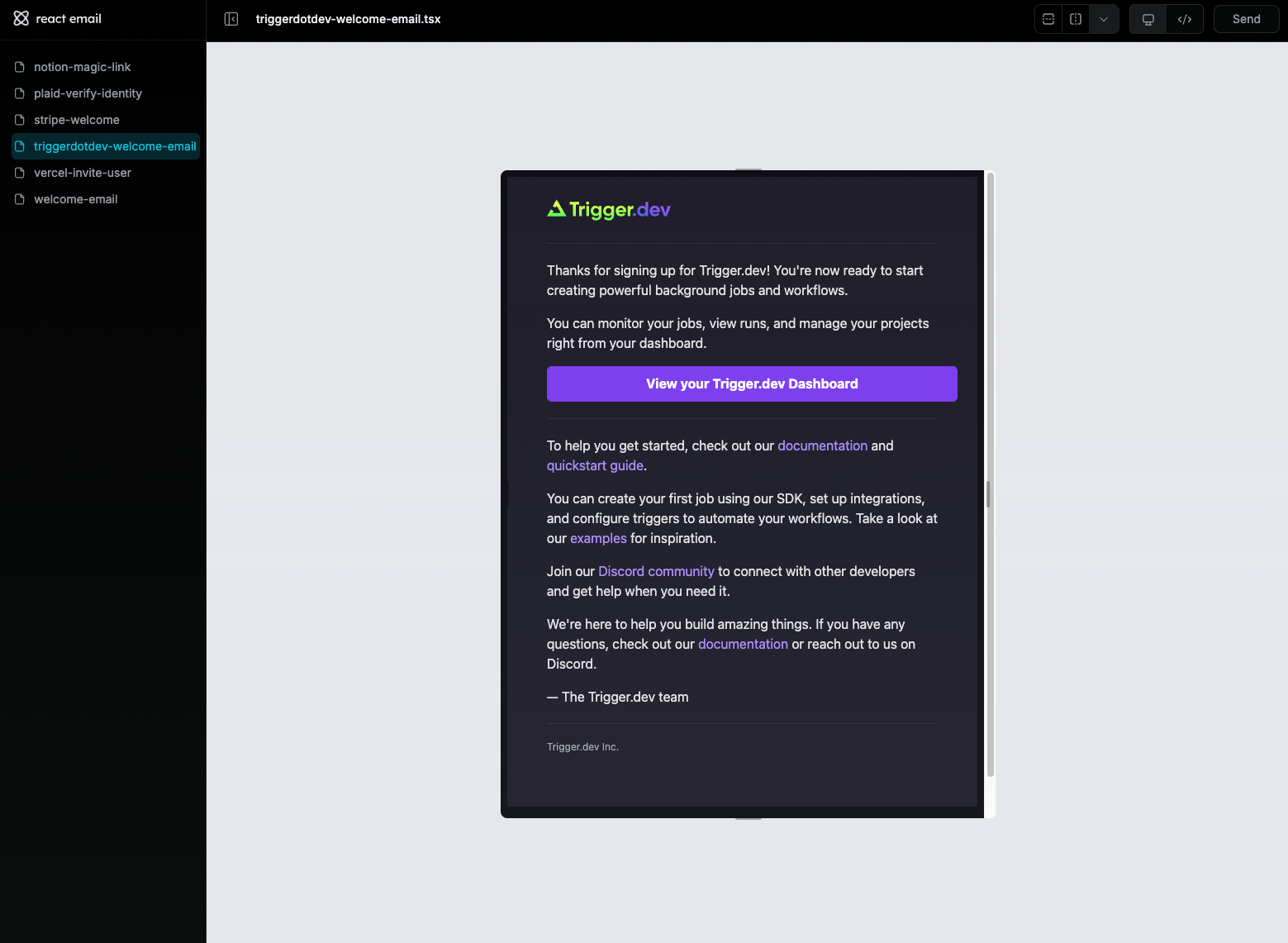
    <Preview>Welcome to Trigger.dev - Your background jobs platform!</Preview>
    <Body style={main}>
      <Container style={container}>
        <Section style={box}>
          <Img
            src="https://trigger.dev/assets/triggerdev-lockup--light.svg"
            width="150"
            height="40"
            alt="Trigger.dev"
          />
          <Hr style={hr} />
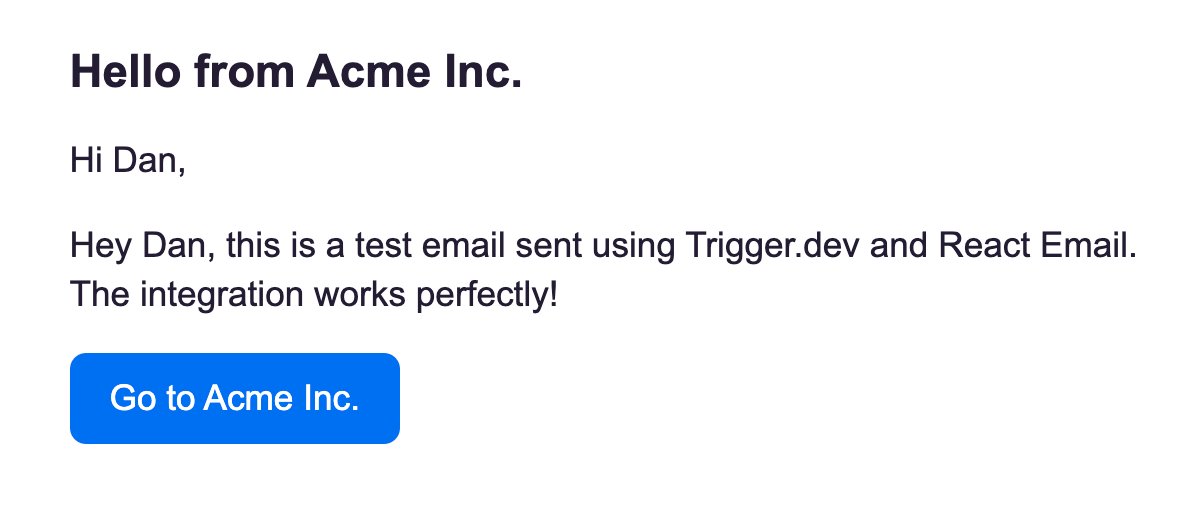
          <Heading>Welcome, {name}!</Heading>
          <Text style={paragraph}>
            Thanks for signing up for Trigger.dev! You're now ready to start creating powerful
            background jobs and workflows.
          </Text>
          <Text style={paragraph}>
            You can monitor your jobs, view runs, and manage your projects right from your
            dashboard.
          </Text>
          <Button style={button} href="https://cloud.trigger.dev/dashboard">
            View your Trigger.dev Dashboard
          </Button>
          <Hr style={hr} />
          <Text style={paragraph}>
            To help you get started, check out our{" "}
            <Link style={anchor} href="https://trigger.dev/docs">
              documentation
            </Link>{" "}
            and{" "}
            <Link style={anchor} href="https://trigger.dev/docs/quickstart">
              quickstart guide
            </Link>
            .
          </Text>
          <Text style={paragraph}>
            You can create your first job using our SDK, set up integrations, and configure triggers
            to automate your workflows. Take a look at our{" "}
            <Link style={anchor} href="https://trigger.dev/docs/examples">
              examples
            </Link>{" "}
            for inspiration.
          </Text>
          <Text style={paragraph}>
            Join our{" "}
            <Link style={anchor} href="https://discord.gg/kA47vcd8Qr">
              Discord community
            </Link>{" "}
            to connect with other developers and get help when you need it.
          </Text>
          <Text style={paragraph}>
            We're here to help you build amazing things. If you have any questions, check out our{" "}
            <Link style={anchor} href="https://trigger.dev/docs">
              documentation
            </Link>{" "}
            or reach out to us on Discord.
          </Text>
          <Text style={paragraph}>— The Trigger.dev team</Text>
          <Hr style={hr} />
          <Text style={footer}>Trigger.dev Inc.</Text>
        </Section>
      </Container>
    </Body>
  </Html>
);

export default TriggerWelcomeEmail;

const main = {
  backgroundColor: "#0E0C15",
  fontFamily:
    '-apple-system,BlinkMacSystemFont,"Segoe UI",Roboto,"Helvetica Neue",Ubuntu,sans-serif',
};

const container = {
  backgroundColor: "#1D1B27",
  margin: "0 auto",
  padding: "20px 0 48px",
  marginBottom: "64px",
};

const box = {
  padding: "0 48px",
};

const hr = {
  borderColor: "#2D2B3B",
  margin: "20px 0",
};

const paragraph = {
  color: "#E1E1E3",
  fontSize: "16px",
  lineHeight: "24px",
  textAlign: "left" as const,
};

const anchor = {
  color: "#A78BFA",
};

const button = {
  backgroundColor: "#7C3AED",
  borderRadius: "6px",
  color: "#fff",
  fontSize: "16px",
  fontWeight: "bold",
  textDecoration: "none",
  textAlign: "center" as const,
  display: "block",
  width: "100%",
  padding: "12px",
};

const footer = {
  color: "#9CA3AF",
  fontSize: "12px",
  lineHeight: "16px",
};